

Playful Rewards
Expert and User Insights by Playful Rewards Customers
Playful Rewards offers users the chance to earn coins by playing mobile games, completing surveys, scanning receipts and doing offers—all of which convert into cash or gift cards. It promises an intuitive, fun interface with tasks that match everyday habits—gameplay, shopping, feedback. Reviews show both praise and complaints about payout delays and account bans, so it’s ideal for casual earners seeking side income.

See user reviews
Honest Review with no Affiliate ties to the featured platform.
Key Findings
| Overall Verdict | Mixed GPT—test small |
| Best For | Global cautious testers |
| Realistic Earnings | $30 |
| Main Drawbacks | Payout disputes reported |
Expert Review

Folasade Oluwagbenga
Money Making Expert
Playful Rewards has a mixed track record that depends heavily on which cashout level you target. Smaller withdrawals under $20 tend to go through without much trouble, but accounts getting flagged right before larger payouts is a recurring pattern across user reviews. The Truth in Advertising organisation has also raised concerns about influencer marketing claims around the app. It pays some users reliably, but the risk increases significantly the closer you get to higher reward thresholds.
Playful Rewards Review: My Honest Experience Earning Coins
A detailed first-person review of how Playful Rewards works, what I earned, and what I would know before cashing out.
Quick Verdict
I used Playful Rewards for about a month as a casual earning app, mainly to see whether the games, surveys, tasks, and reward options were worth my time. My short answer is that Playful Rewards does pay, but I would only use it with a small-cashout mindset. The app is better when I treated it like a slow coin earner and cashed out early, not when I chased the biggest game milestones.
I personally made about $30 in roughly a month of casual use. That was about 30 total hours spread across game tasks, checking the app, and trying the easier earning options, so the rate came out close to $1 per hour. If I doubled the time and used it for two focused hours in a day, I would expect at least around $2 per day, as long as the tasks tracked properly and I avoided the low-value offers that take too long.
The main thing I would tell someone before joining is simple: test a small payout first. Do not let a big balance sit in the app. Smaller withdrawals are the safer way to use Playful Rewards because the biggest complaints around the app are tracking problems, payout reviews, account flags, and slow support when something goes wrong.
What Playful Rewards Is
Playful Rewards is a mobile rewards app for Android and iPhone. The basic idea is easy: I install partner games through the app, complete tasks inside those games, earn coins, and then redeem the coins for PayPal or gift cards. It also has surveys, quick feedback questions, daily challenges, shopping-style tasks, receipt-related earning in some versions, and special event bonuses.
The app feels more like a game-offer rewards app than a classic survey app. The survey side is there, but the games and task milestones are the main attraction. Most of the better-looking rewards are tied to game progress, such as reaching a certain board, level, or milestone. That can be fun if I actually like the game, but it can also become a waste of time if the task takes hours and the coin reward is small.
As of July 2026, Playful Rewards has a large public footprint. The Android app listing shows more than 1 million downloads, while the iPhone listing has a large number of ratings too. That matters because this is not a tiny unknown app. Still, a big app can have mixed user experience, and Playful Rewards definitely has mixed feedback.
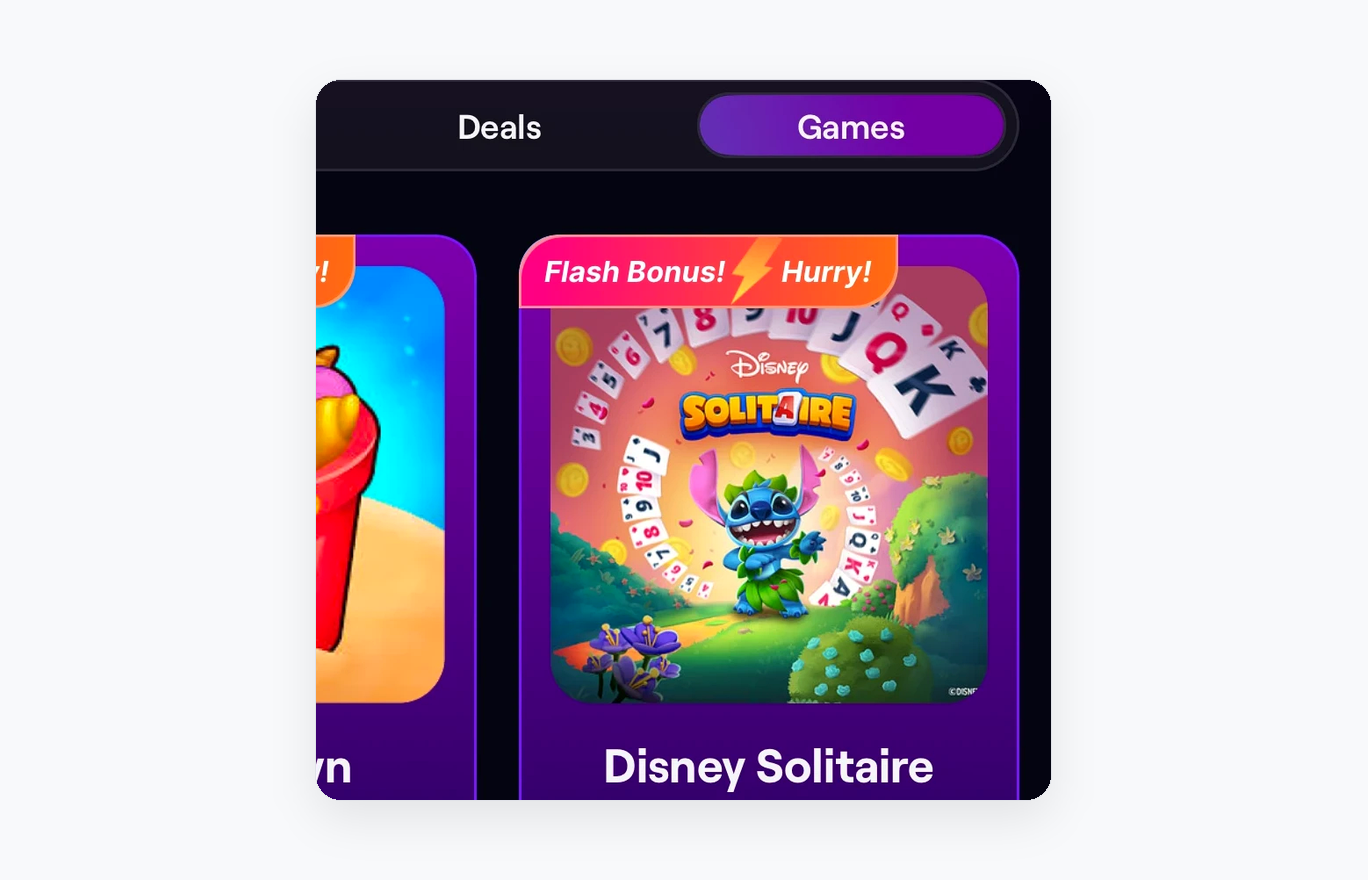
The games area is where I spent most of my time because the bigger coin rewards are tied to game milestones.
My Signup And First Look
Signing up was quick. Playful Rewards supports simple login options like Google, Apple, or a mobile number depending on the device. After getting in, the app pushed me toward game offers and coin rewards right away. The layout is bright, purple-heavy, and very direct. It shows game cards, bonus banners, reward logos, and coin amounts everywhere.
The first thing I learned is that tracking matters more than anything else. If I wanted credit for a game, I had to install it from inside Playful Rewards and then open the game through Playful Rewards. If I installed the same game directly from the app store or opened it outside the app, I would not trust the tracking to work.
I also noticed that some offers looked much better than they actually were. A card might show a big earning number, but that usually means the full amount is spread across many milestones. The early tasks may pay a small amount, while the higher tasks need far more time. I had to look at the full task list instead of judging the offer by the biggest number on the card.
How I Earned Coins
The best way I earned coins was by choosing one game at a time and staying with it until I hit the easier milestones. Jumping between games made tracking and progress harder to follow. When I focused on one game, I could see which milestones were realistic and which ones were probably not worth chasing.
The task list usually works like this: install the game, complete the first action, reach a board or level, then keep going for bigger rewards. The early tasks are usually the most realistic. Later tasks can ask for a lot more time, and some may include purchase-based milestones. I skipped the purchase milestones unless I would have spent that money anyway. Spending money just to unlock coins is too risky for this kind of app.
Surveys and quick feedback questions were easier, but they were not where I found the best upside. They were useful when I wanted something quick, but I would not open Playful Rewards just for surveys. Daily challenges and events were more interesting because they sometimes added a small bonus on top of normal activity.
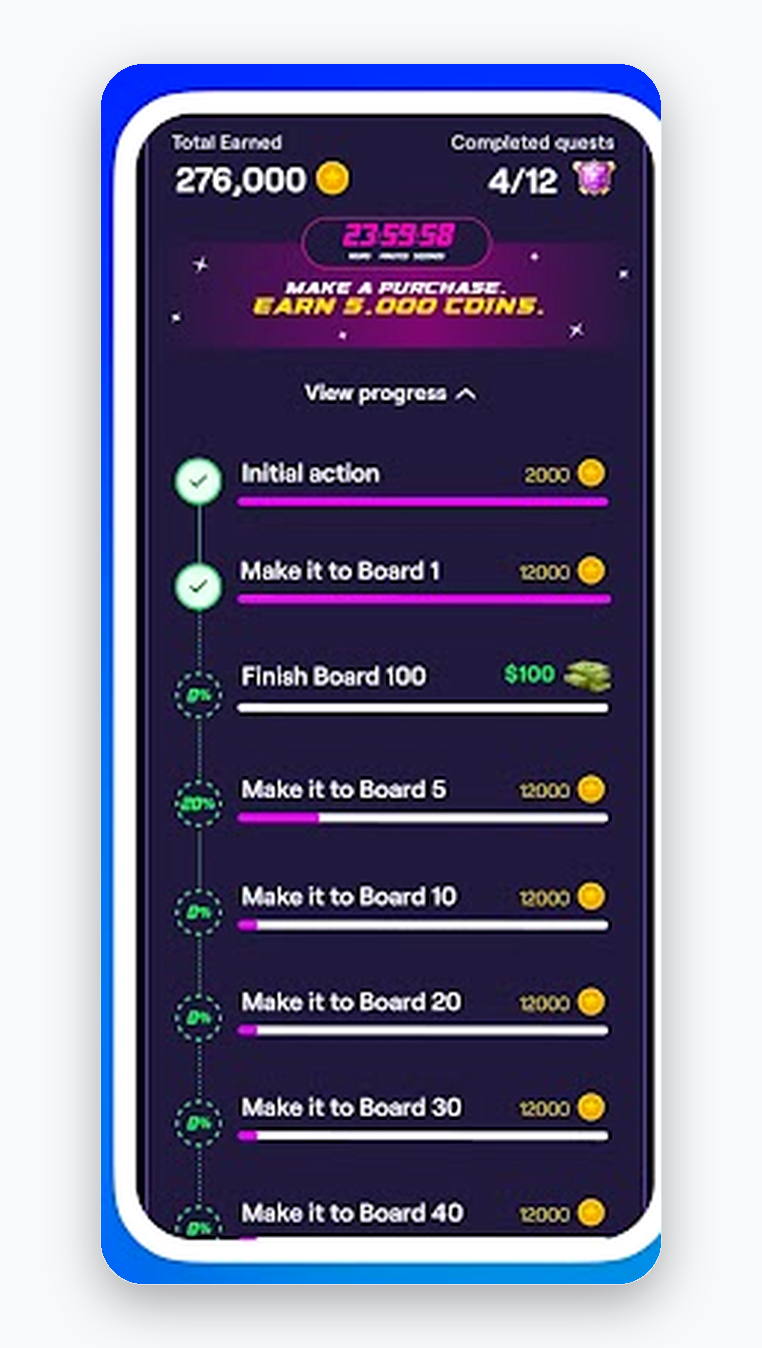
The task list is the screen I checked before committing to a game. The big reward is usually split across smaller milestones.
How Much I Earned
My realistic earning number was about $30 after roughly a month of casual use. That was not from one magic game or one big hit. It came from checking offers, completing easier game milestones, trying quick earning options, and avoiding the tasks that looked like they would take too long.
The hourly rate was close to $1 per hour for me. That is the number I would use when deciding whether Playful Rewards is worth opening. If I had two solid hours in a day and picked tasks carefully, I would expect around $2 for that day. On a better day with a good event or a task that tracked fast, it could be more. On a bad day, especially if I got screened out of surveys or picked a slow game, it could be less.
The app shows some high earning numbers, but I would not plan my day around those. Big numbers usually require a lot of game progress, sometimes purchases, and sometimes days or weeks of play. I got the best results by thinking in small wins: earn coins, reach the next easy milestone, cash out early, and then decide if it is worth continuing.
Minimum Withdrawal And Payout Options
This is the part where Playful Rewards can get confusing because the minimum payout is not the same for every account, country, or reward type. The clear answer is this: I would treat the minimum withdrawal as account-dependent, but I would plan around $10 for PayPal unless my account shows a smaller option. Some accounts and reward screens may show smaller options around $1 to $3, while some higher-value PayPal, Visa, or Amazon options can be around $50.
My practical advice is to open the rewards section before putting serious time into the app. Check the smallest payout that is actually available in your account. If the smallest option is $3, test that first. If PayPal starts at $10, work toward $10 and cash out as soon as you can. If the only useful option is $50, I would be much more careful because that means holding a larger balance inside the app.
| Payout detail | What I would expect in real use |
|---|---|
| Smallest cashout | Can be as low as $1 to $3 in some accounts, but I would not assume every account gets that option. |
| PayPal | I would plan around $10 for PayPal in many accounts. Some larger PayPal options can appear around $50. |
| Gift cards | Amazon and Visa-style gift cards can appear. Some larger options are around $50. |
| Payout speed | Small payouts can be fast, sometimes same day or around 1 day, but delays and account reviews do happen. |
| Best cashout strategy | Cash out the smallest useful amount first. Do not build a big balance before testing payout. |
The payout options I focused on were PayPal, Visa, and Amazon-style rewards. The exact minimum can change by account and country.
Payout Speed And Account Reviews
When Playful Rewards works normally, smaller payouts can be quick. That is the best version of the app. Earn enough, redeem, and get the payout without a long wait. I have seen enough positive payout experiences to believe the app is legit for small redemptions.
The risk starts when the balance gets bigger or when an account gets reviewed. Some users report payment delays, games disappearing from their progress, missing credit, or accounts being flagged for fraud checks. The app also warns against behavior like VPN use, cheating tools, or anything that makes the tracking look suspicious. I would keep everything clean: one device, no VPN, no strange account switching, and no shortcuts.
Support is the weak spot. If a task fails to credit or a payout gets held, the process can be slow and frustrating. That is why I would rather lose a small amount of time testing the app than spend weeks building toward a large payout and then needing support to fix it.
What I Liked
The app is easy to understand. I did not need a long tutorial to know where to earn and where to cash out.
- Game tasks are more fun than plain surveys when I pick games I would actually play.
- PayPal and familiar gift card options make the rewards useful.
- Daily challenges and events can add small bonuses when I am already using the app.
- The early milestones can be worth doing if the game tracks properly.
What Was A Waste Of Time
The biggest waste of time was chasing milestones that were clearly too far away. Some game offers look exciting because they show a high total reward, but the realistic path is slow. If a task requires reaching a deep level, finishing a huge board count, or spending money, I would pause before doing it.
Purchase-based milestones were the easiest thing for me to reject. I do not like spending $3, $5, $20, or more inside a game just because an app says I might earn coins back. If I wanted to buy something in the game anyway, that is different. But spending money only to chase rewards is a bad plan because tracking can fail.
Low-paying surveys were also hit or miss. If a survey took too long, screened me out, or paid very few coins, I moved on. Playful Rewards is better when I am selective. The more I tried to complete everything, the worse the app felt.
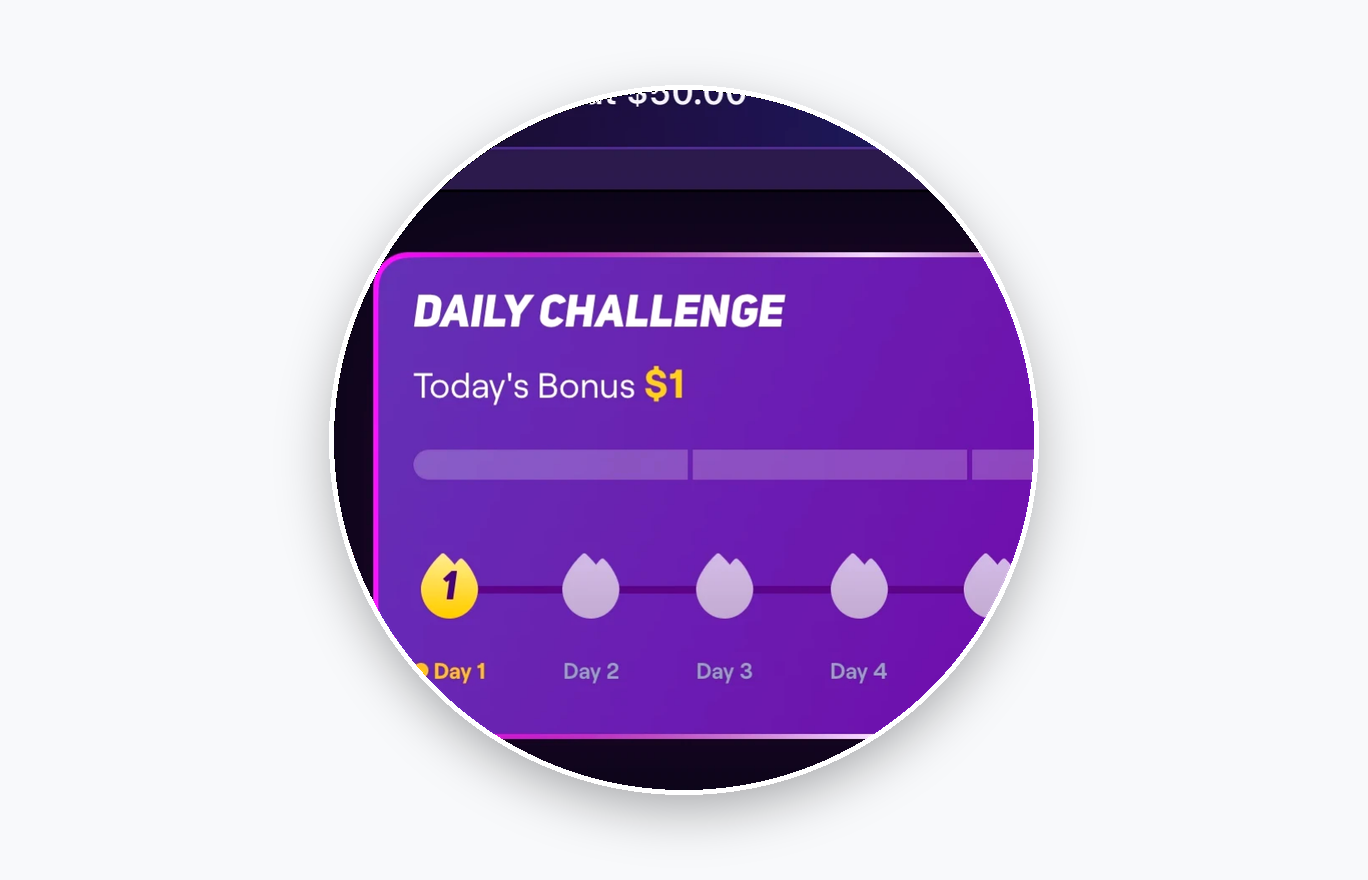
- Daily challenges can add a small bonus, but I treated them as extra money, not the main reason to use the app.
Tips That Helped Me Earn More
- Pick one game at a time and finish the easier milestones before switching.
- Open games through Playful Rewards so the app has the best chance to track progress.
- Cash out the smallest useful amount first, even if the bigger reward looks tempting.
- Avoid VPNs or anything that could make the account look suspicious.
- Do not spend money on in-game purchases unless you would buy them even without the reward.
- Take screenshots of important task pages, coin balances, and payout confirmations.
- Skip tasks that require too much time for a tiny coin reward.
Support, Tracking, And App Reputation
Playful Rewards has a very mixed reputation. I found enough proof that people do get paid, especially on smaller redemptions, but there are also a lot of complaints about missing credits, payout reviews, account locks, and support delays. That split matches my own cautious view of the app: it can work, but I would not use it carelessly.
Tracking is the heart of the app. If tracking works, the experience is simple. If tracking fails, the app becomes annoying fast. This is why I kept screenshots and did not chase huge balances. I also paid attention to whether games stayed visible in my active list. If a game disappeared or stopped tracking, I would stop putting time into it.
I also noticed that Playful Rewards collects the kind of data I expect from reward apps, including personal and device-related information. That is not shocking for this category, but it is worth knowing. If privacy is a major concern, I would be careful with any app that pays for games, offers, surveys, or shopping activity.
Who Playful Rewards Is Best For
Playful Rewards is best for someone who already likes trying mobile games and wants to earn a little while doing it. It is also better for people who are patient, organized, and willing to cash out small. If someone expects fast money with no tracking issues, this app will probably feel frustrating.
I would not use Playful Rewards as my only rewards app. I would keep it as one option and compare it with other apps that pay for games, surveys, or offers. If Playful Rewards has a good game available, I would use it. If the tasks look weak that day, I would skip it and come back later.
Final Verdict
Playful Rewards is legit, but it is not a site I would trust with a large unpaid balance. My realistic result was about $30 in a month, with earnings close to $1 per hour. The app was easiest to use when I focused on one game, finished the early milestones, avoided purchase tasks, and cashed out as soon as a useful payout option was available.
The minimum withdrawal depends on what your account shows. I would plan around $10 for PayPal, watch for smaller $1 to $3 options if they appear, and be careful with $50 reward options because they require more time and more trust in the tracking. For me, Playful Rewards is worth testing, but only with a simple rule: earn small, cash out early, and do not chase the biggest promises.
User Reviews | Playful Rewards
Current average review
Based on 2 user reviews

Andreas Smirnov
I installed and tested Playful Rewards and managed to earn real money through it. The app is available on Google Play. Over two weeks, I made about $200 playing Klondike, which is a decent passive game, though it has frustrating stamina limits and long crafting times. I did spend around $50 to speed things up, but I still came out with over $200 in profit. There are several ways to refill stamina without waiting, like watching short ads. Spending helps progress faster, and it’s possible to earn the money back. However, as of March 26, 2025, the app has stopped paying users due to an internal error. I’d recommend avoiding it for now until it’s fixed.
Markus Wilson
I started using Playful Rewards a few days ago to help fund my Gacha game habit. I reached a big milestone worth 150,000 coins, but the app didn’t credit me even though it showed the task as completed. I contacted support and was told my account was under review because of a fraud alert. I’ve spent months playing, saving enough to cash out around $400, plus another $200 milestone that never went through. Despite reading all their terms of use and finding no violations, my account stayed locked. Others seem to have had the same issue, and I still haven’t been paid. After several attempts with support, I’ve lost access to my original chat and had to reopen a new ticket. At this point, I’m just trying to get what I earned, but I won’t be using this app again.
Is Playful Rewards Legit?

Expert and User Insights by Playful Rewards Customers
Playful Rewards offers users the chance to earn coins by playing mobile games, completing surveys, scanning receipts and doing offers—all of which convert into cash or gift cards. It promises an intuitive, fun interface with tasks that match everyday habits—gameplay, shopping, feedback. Reviews show both praise and complaints about payout delays and account bans, so it’s ideal for casual earners seeking side income.
See user reviews
Honest Review with no Affiliate ties to the featured platform.
Key Findings
| Overall Verdict | Mixed GPT—test small |
| Best For | Global cautious testers |
| Realistic Earnings | $30 |
| Main Drawbacks | Payout disputes reported |
Expert Review

Folasade Oluwagbenga
Money Making Expert
Playful Rewards has a mixed track record that depends heavily on which cashout level you target. Smaller withdrawals under $20 tend to go through without much trouble, but accounts getting flagged right before larger payouts is a recurring pattern across user reviews. The Truth in Advertising organisation has also raised concerns about influencer marketing claims around the app. It pays some users reliably, but the risk increases significantly the closer you get to higher reward thresholds.
Playful Rewards Review: My Honest Experience Earning Coins
A detailed first-person review of how Playful Rewards works, what I earned, and what I would know before cashing out.
Quick Verdict
I used Playful Rewards for about a month as a casual earning app, mainly to see whether the games, surveys, tasks, and reward options were worth my time. My short answer is that Playful Rewards does pay, but I would only use it with a small-cashout mindset. The app is better when I treated it like a slow coin earner and cashed out early, not when I chased the biggest game milestones.
I personally made about $30 in roughly a month of casual use. That was about 30 total hours spread across game tasks, checking the app, and trying the easier earning options, so the rate came out close to $1 per hour. If I doubled the time and used it for two focused hours in a day, I would expect at least around $2 per day, as long as the tasks tracked properly and I avoided the low-value offers that take too long.
The main thing I would tell someone before joining is simple: test a small payout first. Do not let a big balance sit in the app. Smaller withdrawals are the safer way to use Playful Rewards because the biggest complaints around the app are tracking problems, payout reviews, account flags, and slow support when something goes wrong.
What Playful Rewards Is
Playful Rewards is a mobile rewards app for Android and iPhone. The basic idea is easy: I install partner games through the app, complete tasks inside those games, earn coins, and then redeem the coins for PayPal or gift cards. It also has surveys, quick feedback questions, daily challenges, shopping-style tasks, receipt-related earning in some versions, and special event bonuses.
The app feels more like a game-offer rewards app than a classic survey app. The survey side is there, but the games and task milestones are the main attraction. Most of the better-looking rewards are tied to game progress, such as reaching a certain board, level, or milestone. That can be fun if I actually like the game, but it can also become a waste of time if the task takes hours and the coin reward is small.
As of July 2026, Playful Rewards has a large public footprint. The Android app listing shows more than 1 million downloads, while the iPhone listing has a large number of ratings too. That matters because this is not a tiny unknown app. Still, a big app can have mixed user experience, and Playful Rewards definitely has mixed feedback.

The games area is where I spent most of my time because the bigger coin rewards are tied to game milestones.
My Signup And First Look
Signing up was quick. Playful Rewards supports simple login options like Google, Apple, or a mobile number depending on the device. After getting in, the app pushed me toward game offers and coin rewards right away. The layout is bright, purple-heavy, and very direct. It shows game cards, bonus banners, reward logos, and coin amounts everywhere.
The first thing I learned is that tracking matters more than anything else. If I wanted credit for a game, I had to install it from inside Playful Rewards and then open the game through Playful Rewards. If I installed the same game directly from the app store or opened it outside the app, I would not trust the tracking to work.
I also noticed that some offers looked much better than they actually were. A card might show a big earning number, but that usually means the full amount is spread across many milestones. The early tasks may pay a small amount, while the higher tasks need far more time. I had to look at the full task list instead of judging the offer by the biggest number on the card.
How I Earned Coins
The best way I earned coins was by choosing one game at a time and staying with it until I hit the easier milestones. Jumping between games made tracking and progress harder to follow. When I focused on one game, I could see which milestones were realistic and which ones were probably not worth chasing.
The task list usually works like this: install the game, complete the first action, reach a board or level, then keep going for bigger rewards. The early tasks are usually the most realistic. Later tasks can ask for a lot more time, and some may include purchase-based milestones. I skipped the purchase milestones unless I would have spent that money anyway. Spending money just to unlock coins is too risky for this kind of app.
Surveys and quick feedback questions were easier, but they were not where I found the best upside. They were useful when I wanted something quick, but I would not open Playful Rewards just for surveys. Daily challenges and events were more interesting because they sometimes added a small bonus on top of normal activity.

The task list is the screen I checked before committing to a game. The big reward is usually split across smaller milestones.
How Much I Earned
My realistic earning number was about $30 after roughly a month of casual use. That was not from one magic game or one big hit. It came from checking offers, completing easier game milestones, trying quick earning options, and avoiding the tasks that looked like they would take too long.
The hourly rate was close to $1 per hour for me. That is the number I would use when deciding whether Playful Rewards is worth opening. If I had two solid hours in a day and picked tasks carefully, I would expect around $2 for that day. On a better day with a good event or a task that tracked fast, it could be more. On a bad day, especially if I got screened out of surveys or picked a slow game, it could be less.
The app shows some high earning numbers, but I would not plan my day around those. Big numbers usually require a lot of game progress, sometimes purchases, and sometimes days or weeks of play. I got the best results by thinking in small wins: earn coins, reach the next easy milestone, cash out early, and then decide if it is worth continuing.
Minimum Withdrawal And Payout Options
This is the part where Playful Rewards can get confusing because the minimum payout is not the same for every account, country, or reward type. The clear answer is this: I would treat the minimum withdrawal as account-dependent, but I would plan around $10 for PayPal unless my account shows a smaller option. Some accounts and reward screens may show smaller options around $1 to $3, while some higher-value PayPal, Visa, or Amazon options can be around $50.
My practical advice is to open the rewards section before putting serious time into the app. Check the smallest payout that is actually available in your account. If the smallest option is $3, test that first. If PayPal starts at $10, work toward $10 and cash out as soon as you can. If the only useful option is $50, I would be much more careful because that means holding a larger balance inside the app.
| Payout detail | What I would expect in real use |
|---|---|
| Smallest cashout | Can be as low as $1 to $3 in some accounts, but I would not assume every account gets that option. |
| PayPal | I would plan around $10 for PayPal in many accounts. Some larger PayPal options can appear around $50. |
| Gift cards | Amazon and Visa-style gift cards can appear. Some larger options are around $50. |
| Payout speed | Small payouts can be fast, sometimes same day or around 1 day, but delays and account reviews do happen. |
| Best cashout strategy | Cash out the smallest useful amount first. Do not build a big balance before testing payout. |

The payout options I focused on were PayPal, Visa, and Amazon-style rewards. The exact minimum can change by account and country.
Payout Speed And Account Reviews
When Playful Rewards works normally, smaller payouts can be quick. That is the best version of the app. Earn enough, redeem, and get the payout without a long wait. I have seen enough positive payout experiences to believe the app is legit for small redemptions.
The risk starts when the balance gets bigger or when an account gets reviewed. Some users report payment delays, games disappearing from their progress, missing credit, or accounts being flagged for fraud checks. The app also warns against behavior like VPN use, cheating tools, or anything that makes the tracking look suspicious. I would keep everything clean: one device, no VPN, no strange account switching, and no shortcuts.
Support is the weak spot. If a task fails to credit or a payout gets held, the process can be slow and frustrating. That is why I would rather lose a small amount of time testing the app than spend weeks building toward a large payout and then needing support to fix it.
What I Liked
The app is easy to understand. I did not need a long tutorial to know where to earn and where to cash out.
- Game tasks are more fun than plain surveys when I pick games I would actually play.
- PayPal and familiar gift card options make the rewards useful.
- Daily challenges and events can add small bonuses when I am already using the app.
- The early milestones can be worth doing if the game tracks properly.
What Was A Waste Of Time
The biggest waste of time was chasing milestones that were clearly too far away. Some game offers look exciting because they show a high total reward, but the realistic path is slow. If a task requires reaching a deep level, finishing a huge board count, or spending money, I would pause before doing it.
Purchase-based milestones were the easiest thing for me to reject. I do not like spending $3, $5, $20, or more inside a game just because an app says I might earn coins back. If I wanted to buy something in the game anyway, that is different. But spending money only to chase rewards is a bad plan because tracking can fail.
Low-paying surveys were also hit or miss. If a survey took too long, screened me out, or paid very few coins, I moved on. Playful Rewards is better when I am selective. The more I tried to complete everything, the worse the app felt.

- Daily challenges can add a small bonus, but I treated them as extra money, not the main reason to use the app.
Tips That Helped Me Earn More
- Pick one game at a time and finish the easier milestones before switching.
- Open games through Playful Rewards so the app has the best chance to track progress.
- Cash out the smallest useful amount first, even if the bigger reward looks tempting.
- Avoid VPNs or anything that could make the account look suspicious.
- Do not spend money on in-game purchases unless you would buy them even without the reward.
- Take screenshots of important task pages, coin balances, and payout confirmations.
- Skip tasks that require too much time for a tiny coin reward.
Support, Tracking, And App Reputation
Playful Rewards has a very mixed reputation. I found enough proof that people do get paid, especially on smaller redemptions, but there are also a lot of complaints about missing credits, payout reviews, account locks, and support delays. That split matches my own cautious view of the app: it can work, but I would not use it carelessly.
Tracking is the heart of the app. If tracking works, the experience is simple. If tracking fails, the app becomes annoying fast. This is why I kept screenshots and did not chase huge balances. I also paid attention to whether games stayed visible in my active list. If a game disappeared or stopped tracking, I would stop putting time into it.
I also noticed that Playful Rewards collects the kind of data I expect from reward apps, including personal and device-related information. That is not shocking for this category, but it is worth knowing. If privacy is a major concern, I would be careful with any app that pays for games, offers, surveys, or shopping activity.
Who Playful Rewards Is Best For
Playful Rewards is best for someone who already likes trying mobile games and wants to earn a little while doing it. It is also better for people who are patient, organized, and willing to cash out small. If someone expects fast money with no tracking issues, this app will probably feel frustrating.
I would not use Playful Rewards as my only rewards app. I would keep it as one option and compare it with other apps that pay for games, surveys, or offers. If Playful Rewards has a good game available, I would use it. If the tasks look weak that day, I would skip it and come back later.
Final Verdict
Playful Rewards is legit, but it is not a site I would trust with a large unpaid balance. My realistic result was about $30 in a month, with earnings close to $1 per hour. The app was easiest to use when I focused on one game, finished the early milestones, avoided purchase tasks, and cashed out as soon as a useful payout option was available.
The minimum withdrawal depends on what your account shows. I would plan around $10 for PayPal, watch for smaller $1 to $3 options if they appear, and be careful with $50 reward options because they require more time and more trust in the tracking. For me, Playful Rewards is worth testing, but only with a simple rule: earn small, cash out early, and do not chase the biggest promises.
Is Playful Rewards Legit?
User Reviews | Playful Rewards
Current average review
Based on 2 user reviews
Andreas Smirnov
I installed and tested Playful Rewards and managed to earn real money through it. The app is available on Google Play. Over two weeks, I made about $200 playing Klondike, which is a decent passive game, though it has frustrating stamina limits and long crafting times. I did spend around $50 to speed things up, but I still came out with over $200 in profit. There are several ways to refill stamina without waiting, like watching short ads. Spending helps progress faster, and it’s possible to earn the money back. However, as of March 26, 2025, the app has stopped paying users due to an internal error. I’d recommend avoiding it for now until it’s fixed.
Markus Wilson
I started using Playful Rewards a few days ago to help fund my Gacha game habit. I reached a big milestone worth 150,000 coins, but the app didn’t credit me even though it showed the task as completed. I contacted support and was told my account was under review because of a fraud alert. I’ve spent months playing, saving enough to cash out around $400, plus another $200 milestone that never went through. Despite reading all their terms of use and finding no violations, my account stayed locked. Others seem to have had the same issue, and I still haven’t been paid. After several attempts with support, I’ve lost access to my original chat and had to reopen a new ticket. At this point, I’m just trying to get what I earned, but I won’t be using this app again.
